Food logging,
redesigned.
Closing the gap between what's actually on your plate and what gets logged in the app.
- Role
- Product Designer
- Skills
- Product Design
- Interaction Design
- Platform
- Mobile
- Company
- Personal project
Introduction
Five years of counting calories.
Healthify is one of the apps I've used most for tracking my food. I've been using it for about 5 years, and while it's been genuinely useful, I've also spent a lot of that time manually figuring out the details of my meals.
After doing this enough times, one question kept coming back: could logging be more accurate without making it more work?
Before pulling the app apart, it's worth naming what Healthify already gets right. That was the bar I was designing against.
Extensive database
A database of Indian diets, making it easier to find local foods than international competitors offer.
Barcode scanning
Efficient for packaged foods with nutritional tables already printed on the box.
Clean UI
Simple, and never overwhelming.
The gaps I wanted to close weren't about any of that. They showed up somewhere else entirely: home-cooked food.
This is a personal project. I'm not affiliated with Healthify, and none of this work was done for or with them.
Problem
The “home-cooked” challenge.
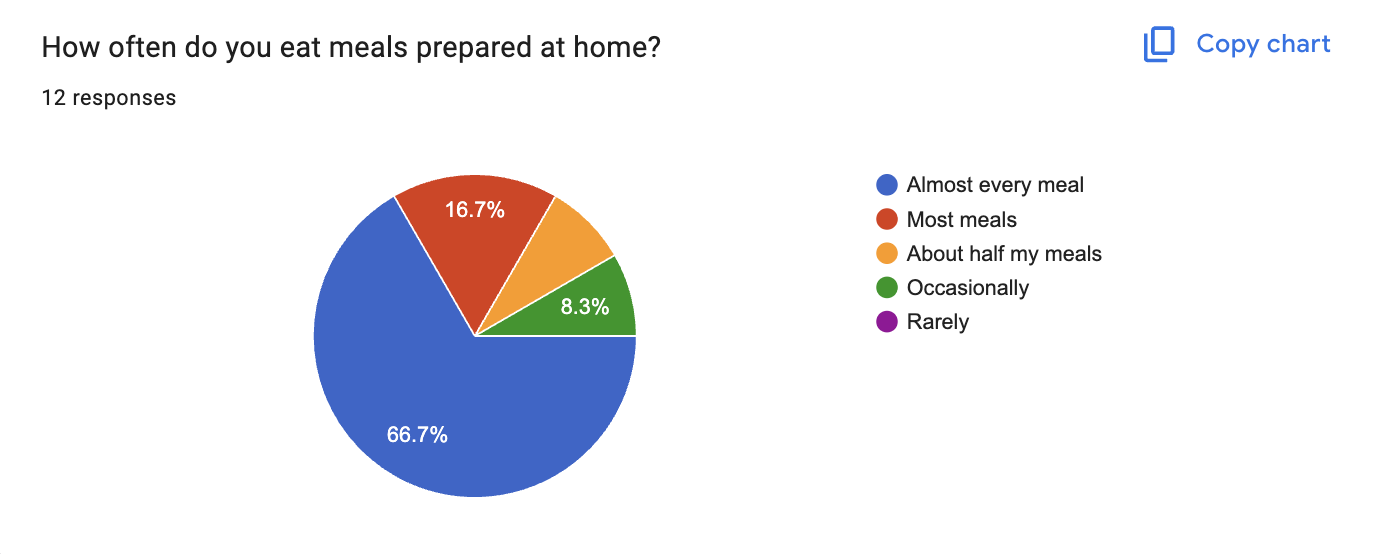
Every kitchen has its own version of a recipe. If I log a homemade egg salad, the calories and macros Healthify suggests might be based on a completely different recipe than the one on my plate.
The bigger problem is that I often can't see exactly what ingredients those numbers are based on. A small difference is enough to move them: 15g of ghee instead of 10g. If I'm trying to track my food accurately, I need to know what's actually being counted, not just the final figure.
Counting calories is already work. Not knowing whether the number is accurate makes it worse. Meals aren't standardised. Recipes, ingredients and cooking methods vary, especially with home-cooked food, so there's often a gap between what's on your plate and what gets logged in the app.
I call this the clarity gap.
Research
Understanding how people actually log.
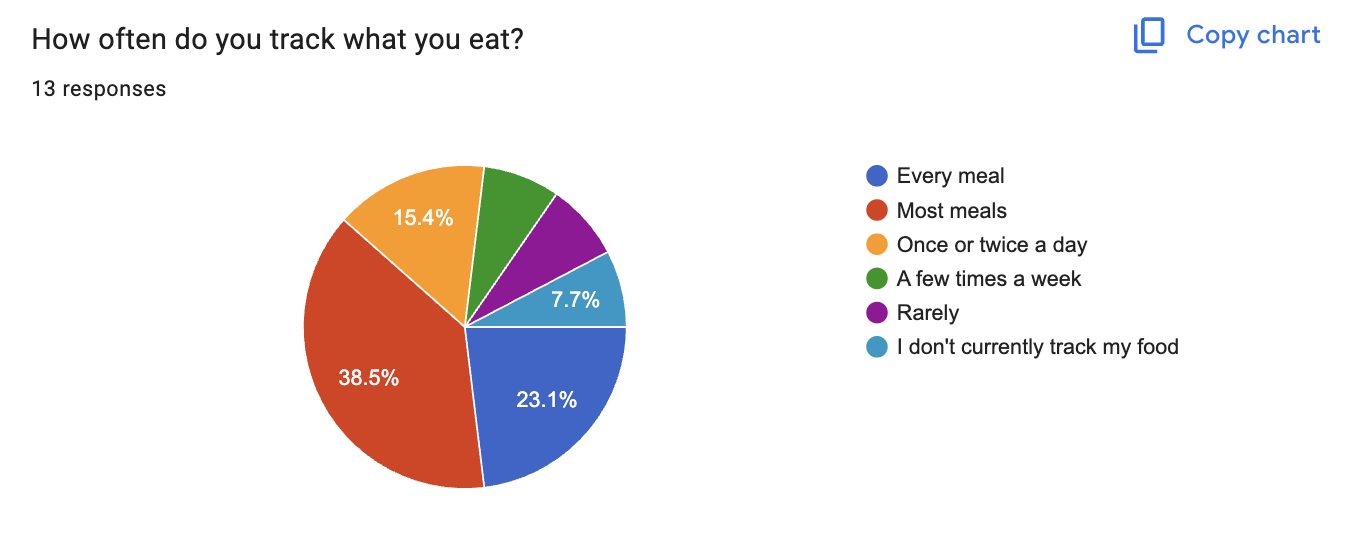
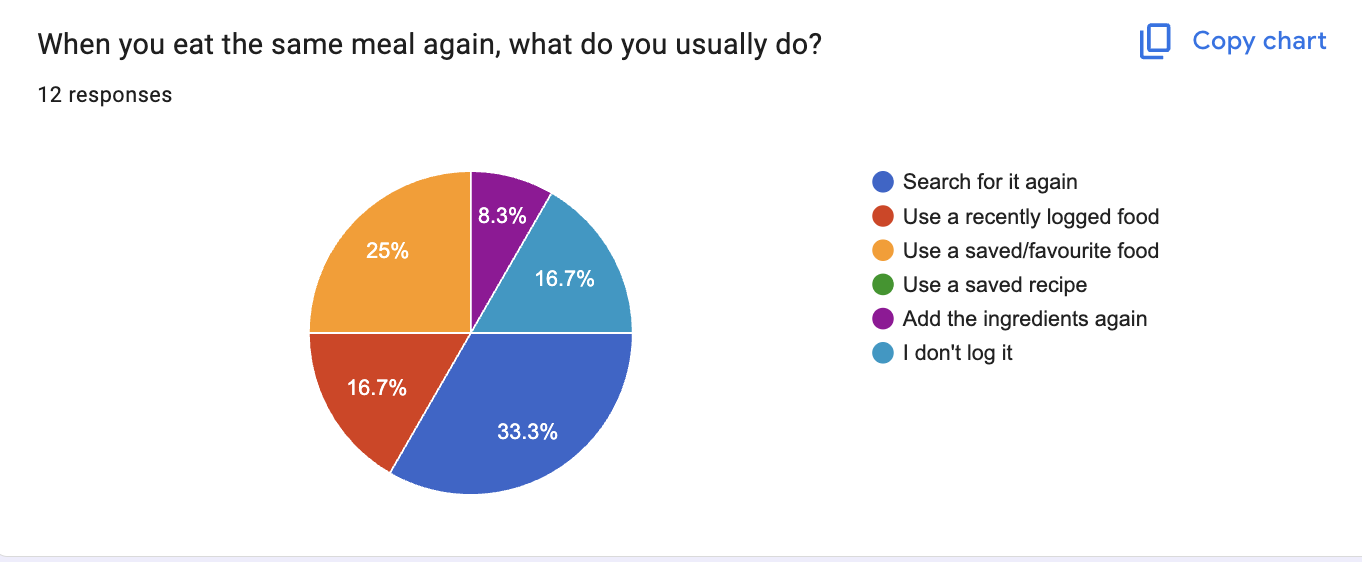
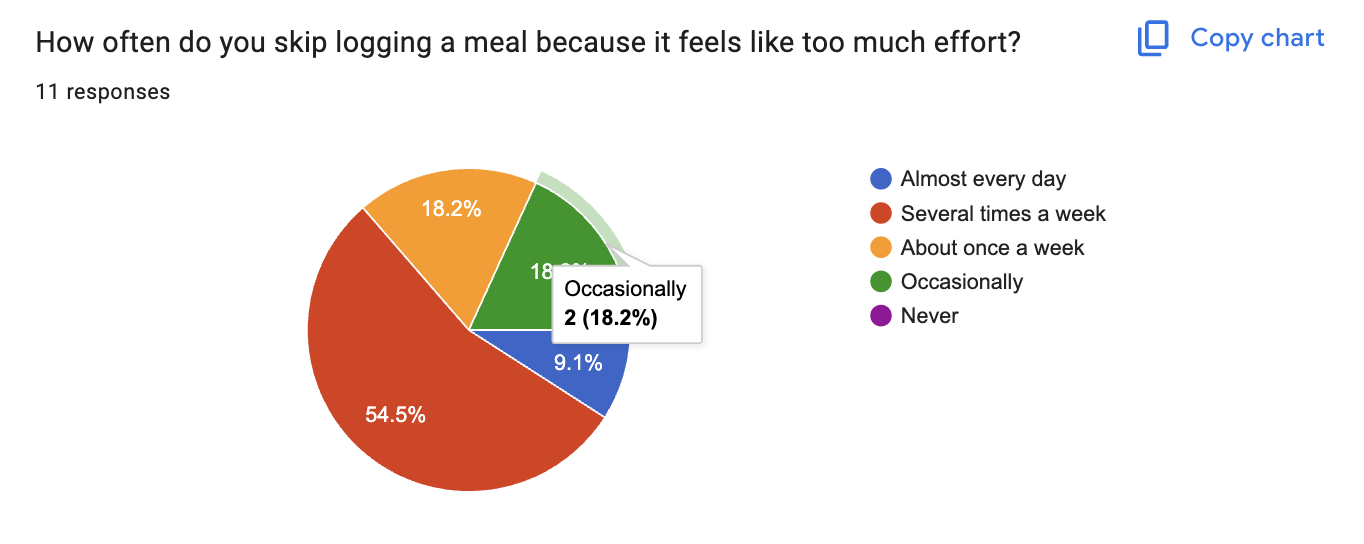
To test whether this gap was real or just a personal gripe, I ran a small survey with people who actively track their food.
Ingredients matter
People care about what actually goes into a meal, not just the final calorie count.
People repeat meals
Most people have a small set of meals they eat regularly, so logging the same thing from scratch every time gets annoying fast.
People log differently
Depending on the situation, they might scan a barcode, search for a meal, or simply describe what they ate.
Where it breaks
Walking the existing flow surfaced the clarity gap directly.
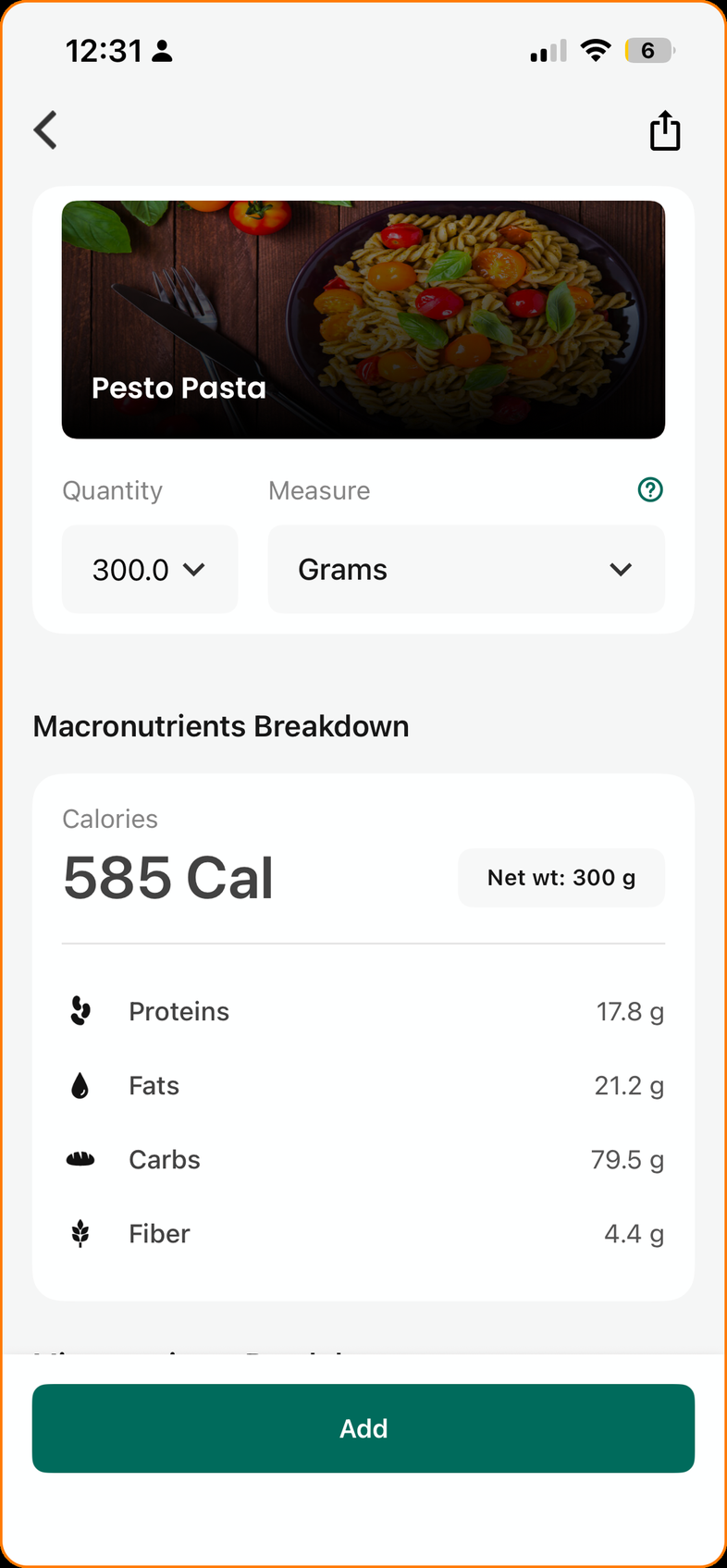
The app never shows the ingredients behind the number
Search → enter quantity → log it. Searching “Pesto Pasta” and entering 300g returns 585 Cal, but there's no way to know if that's your pesto pasta.
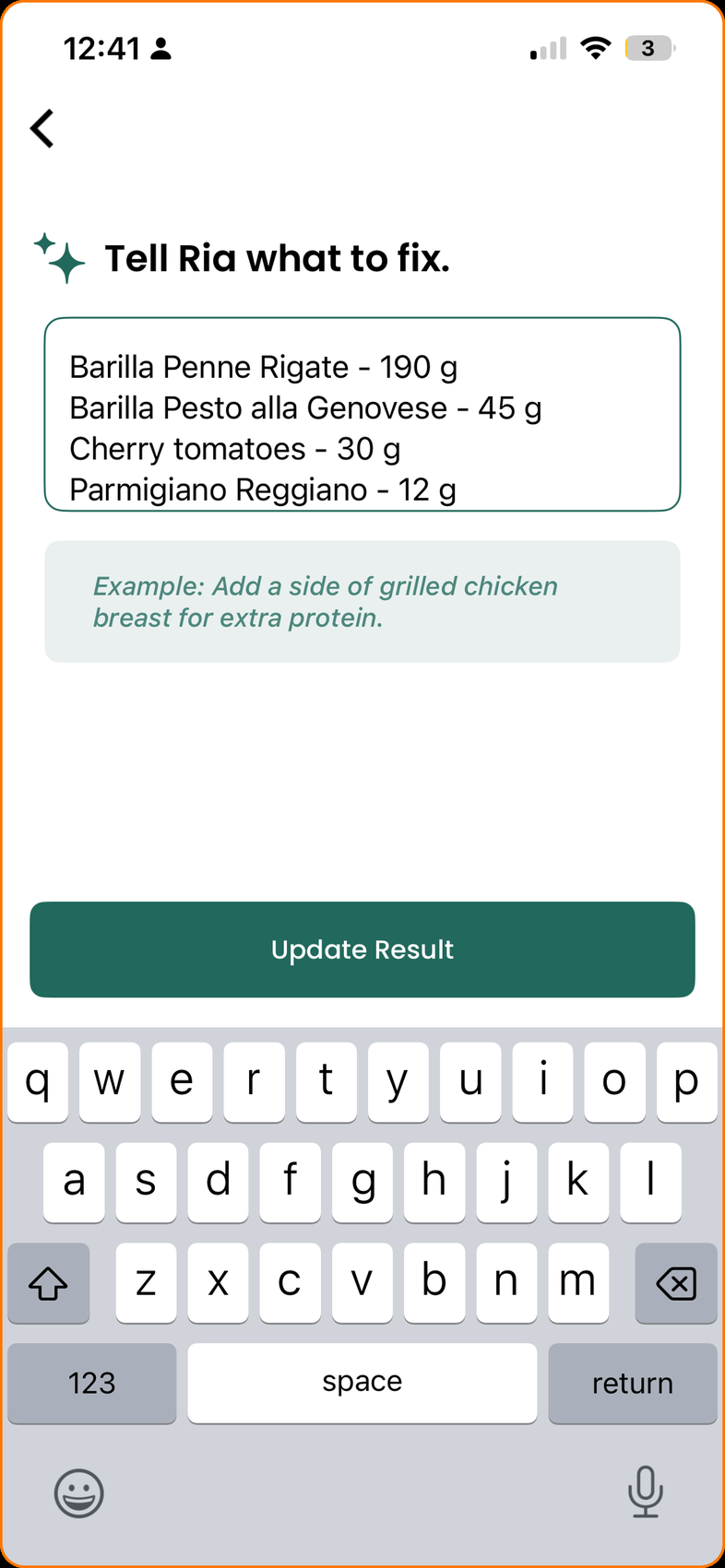
Fixing the ingredient list means editing line by line
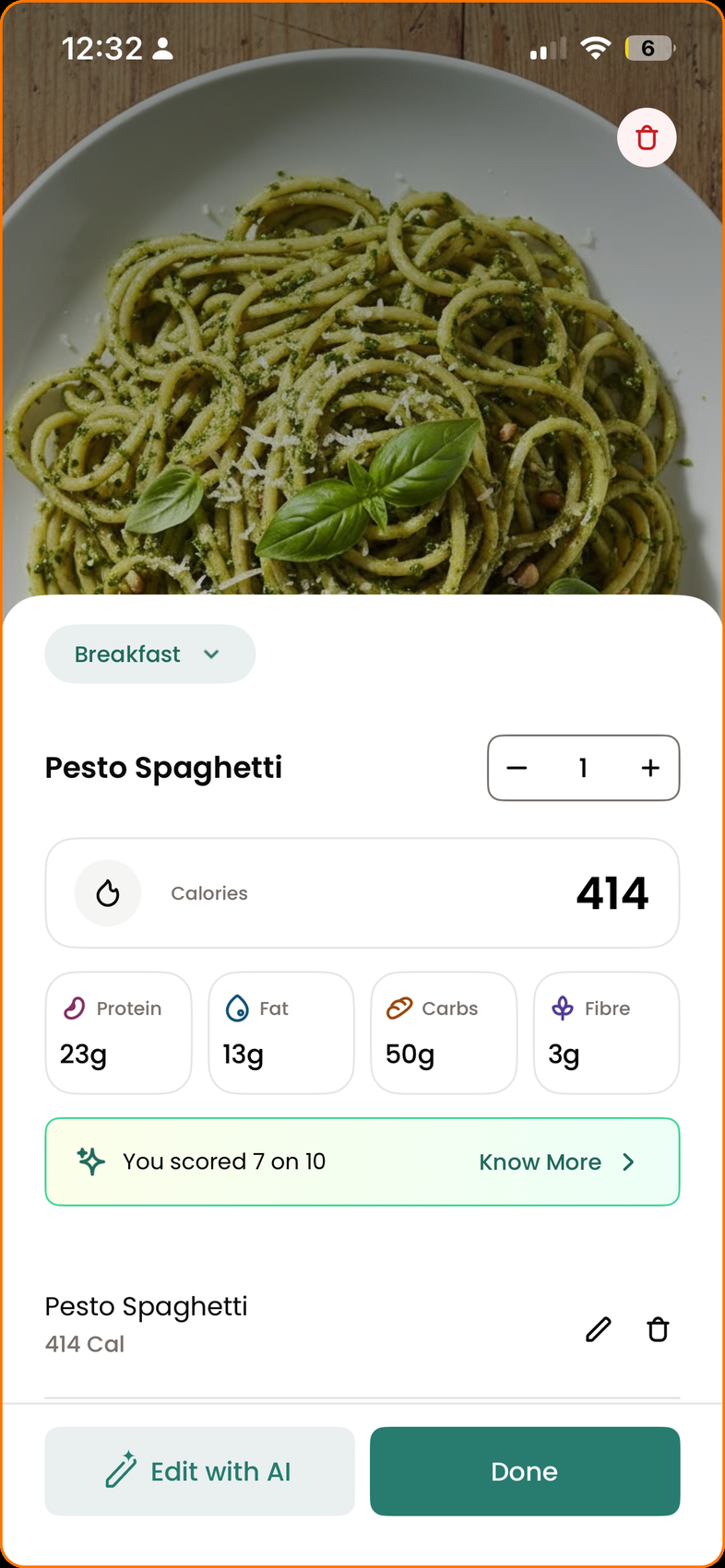
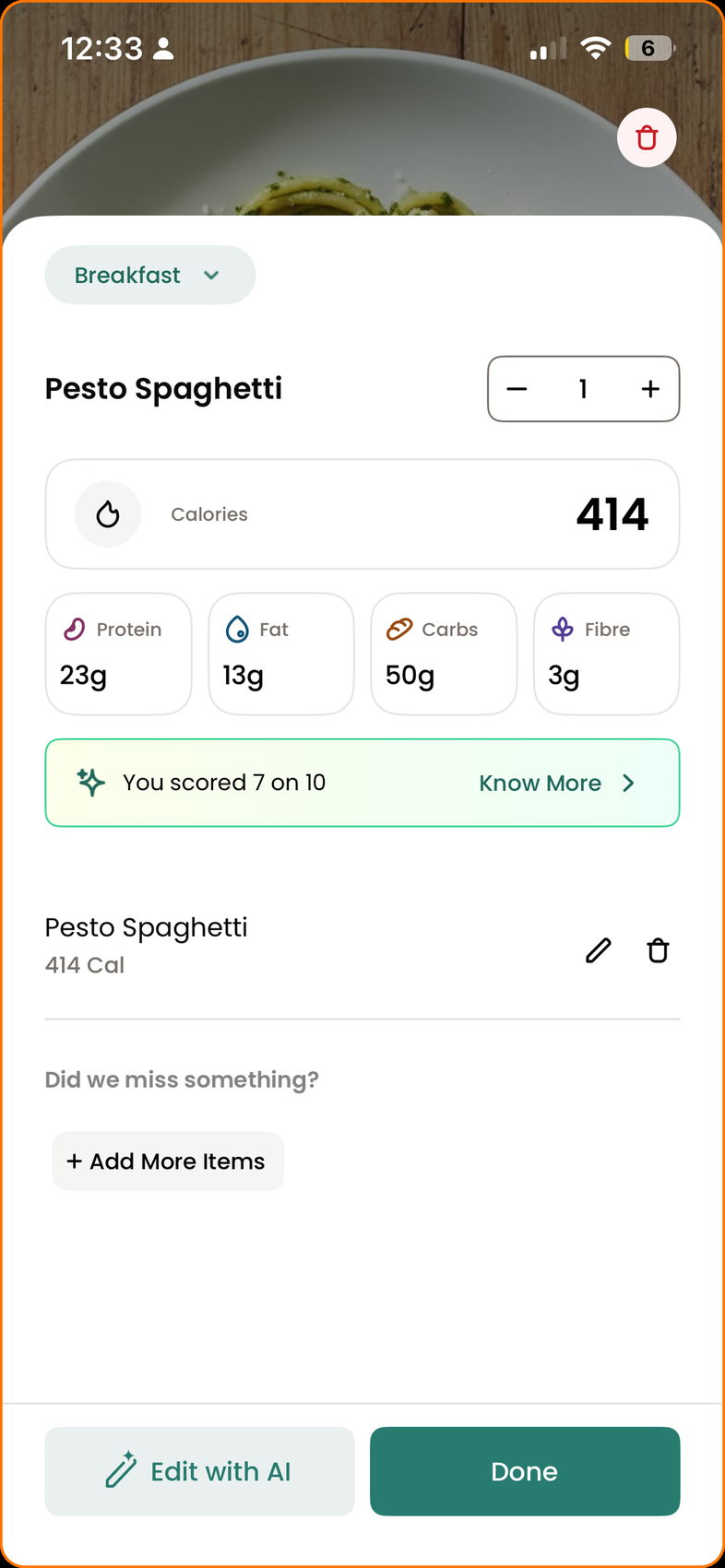
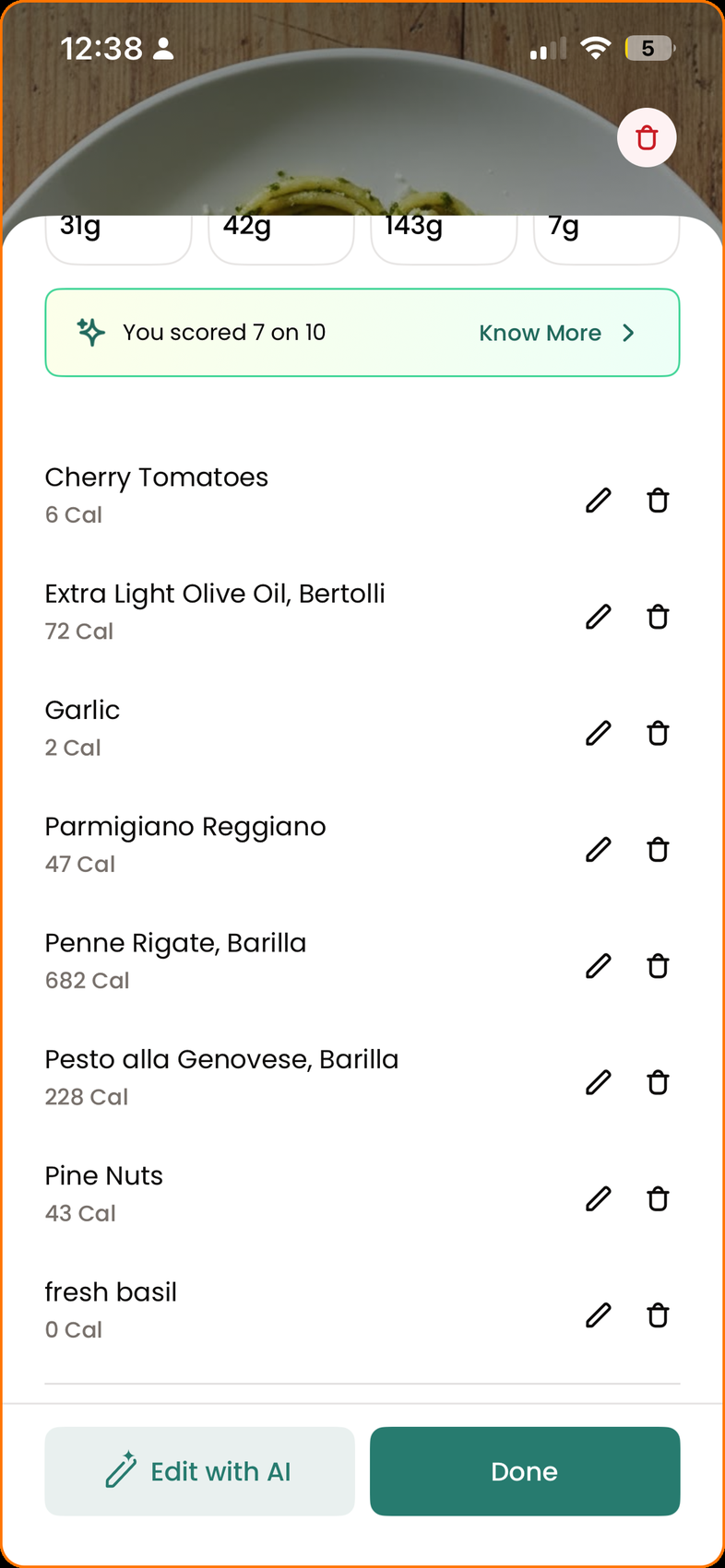
Scan → adjust ingredients → add. Scanning gets closer, but the ingredient list still doesn't always reflect what you actually ate, and correcting it is workable but slow.
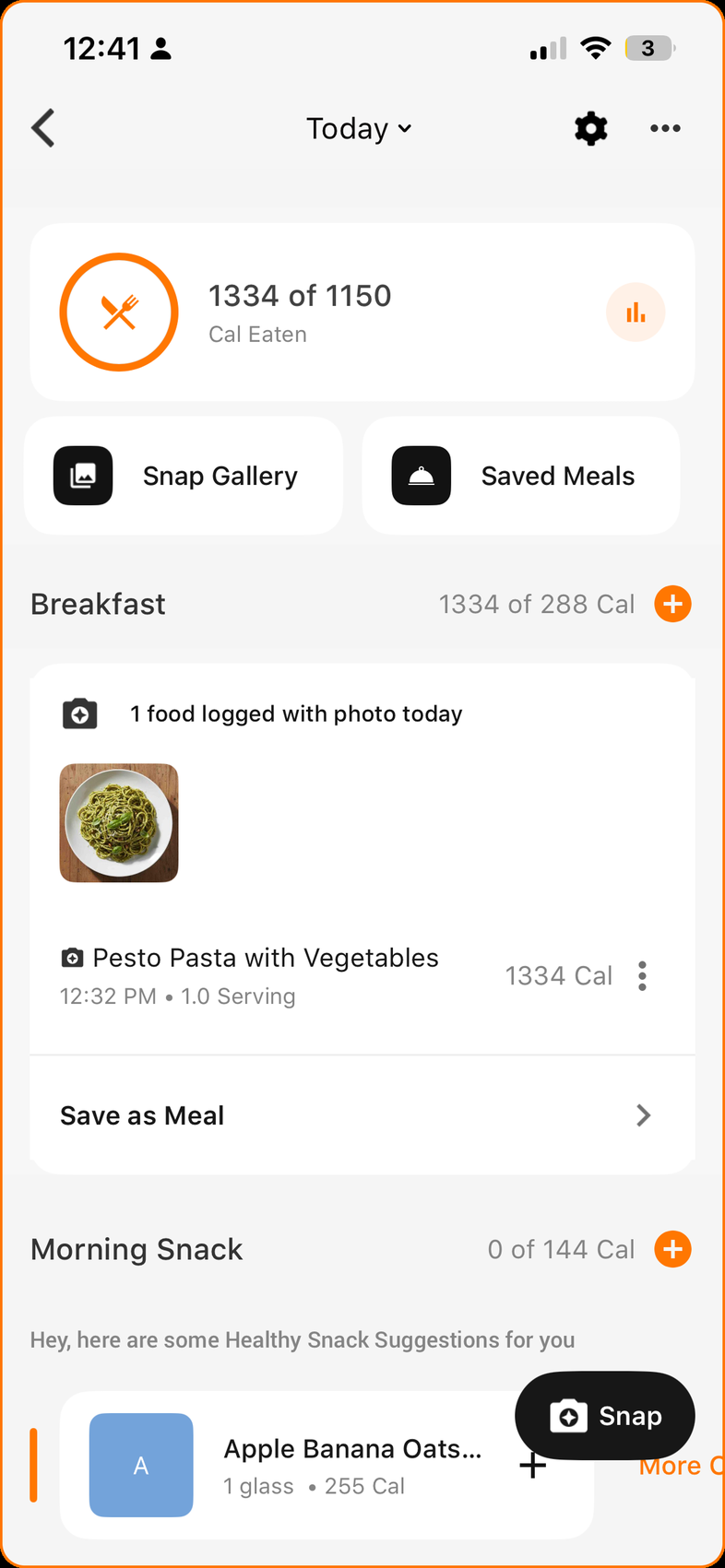
The Snap Gallery is essentially a dead end
If you log the same meal again tomorrow, you'd expect to reuse it. Instead, past entries can't be reused. The workaround is to screenshot the gallery, re-scan, and re-enter the ingredients manually.
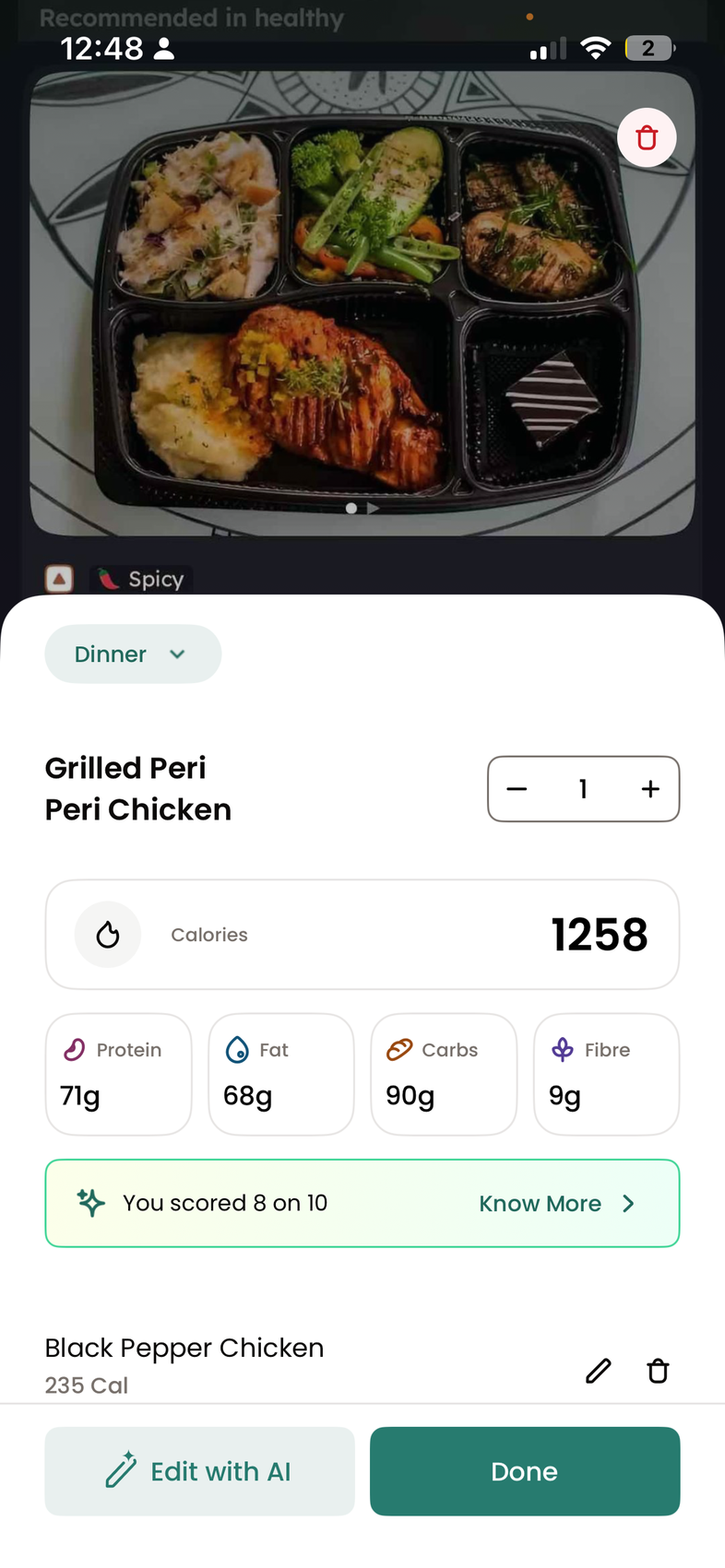
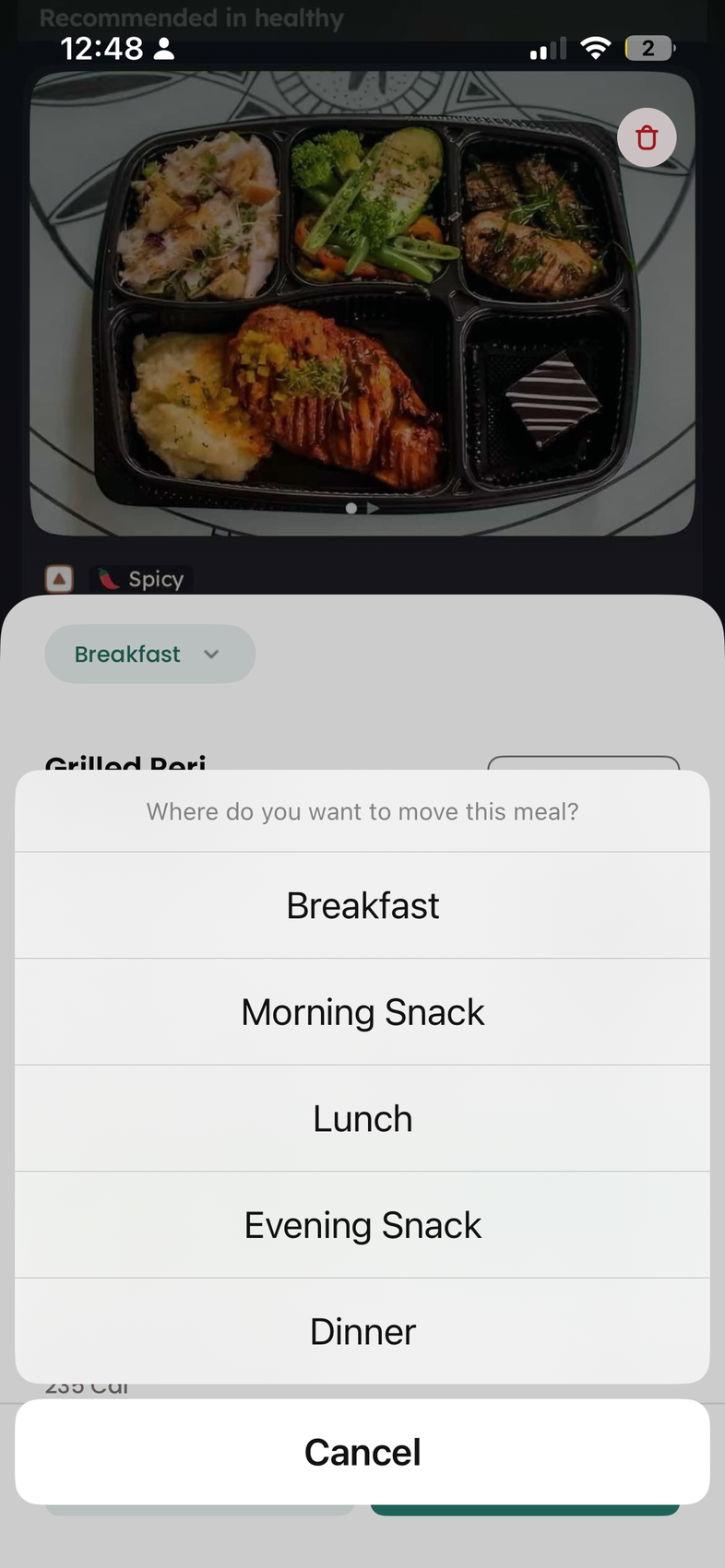
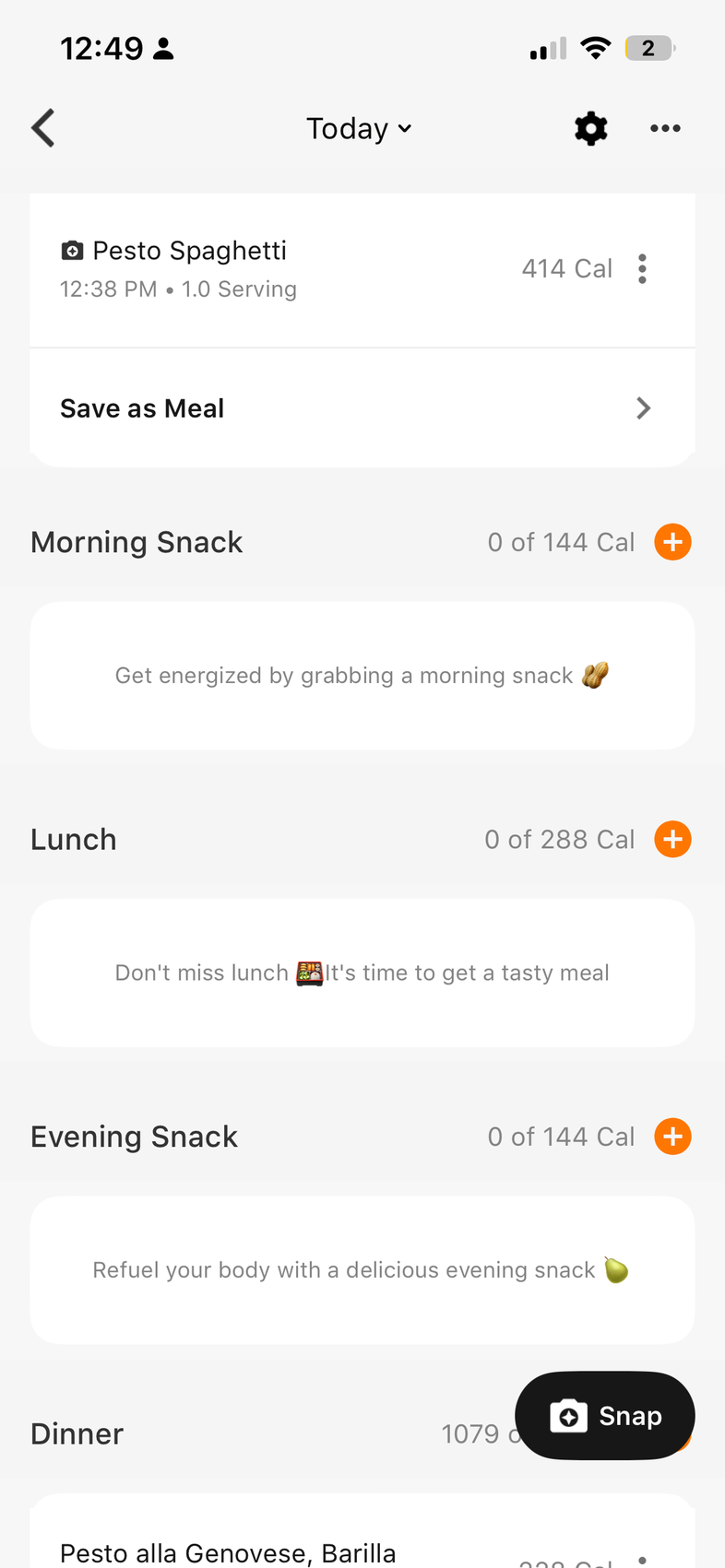
Saved meals show the full ingredient list every time
Saving works, but once a saved meal is added to the daily log, editing it shows every ingredient again. That's useful for accuracy, and a lot of visual noise for something you eat weekly.
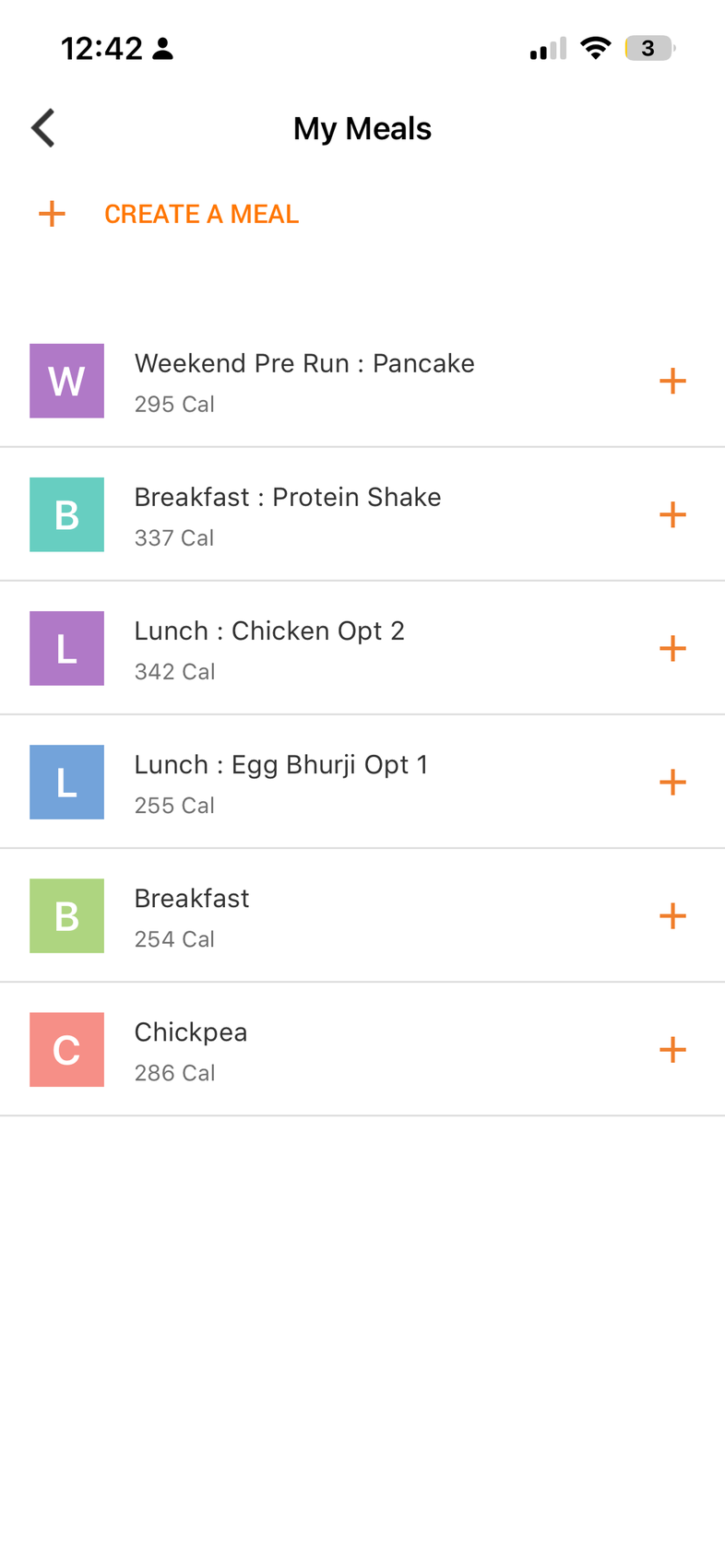
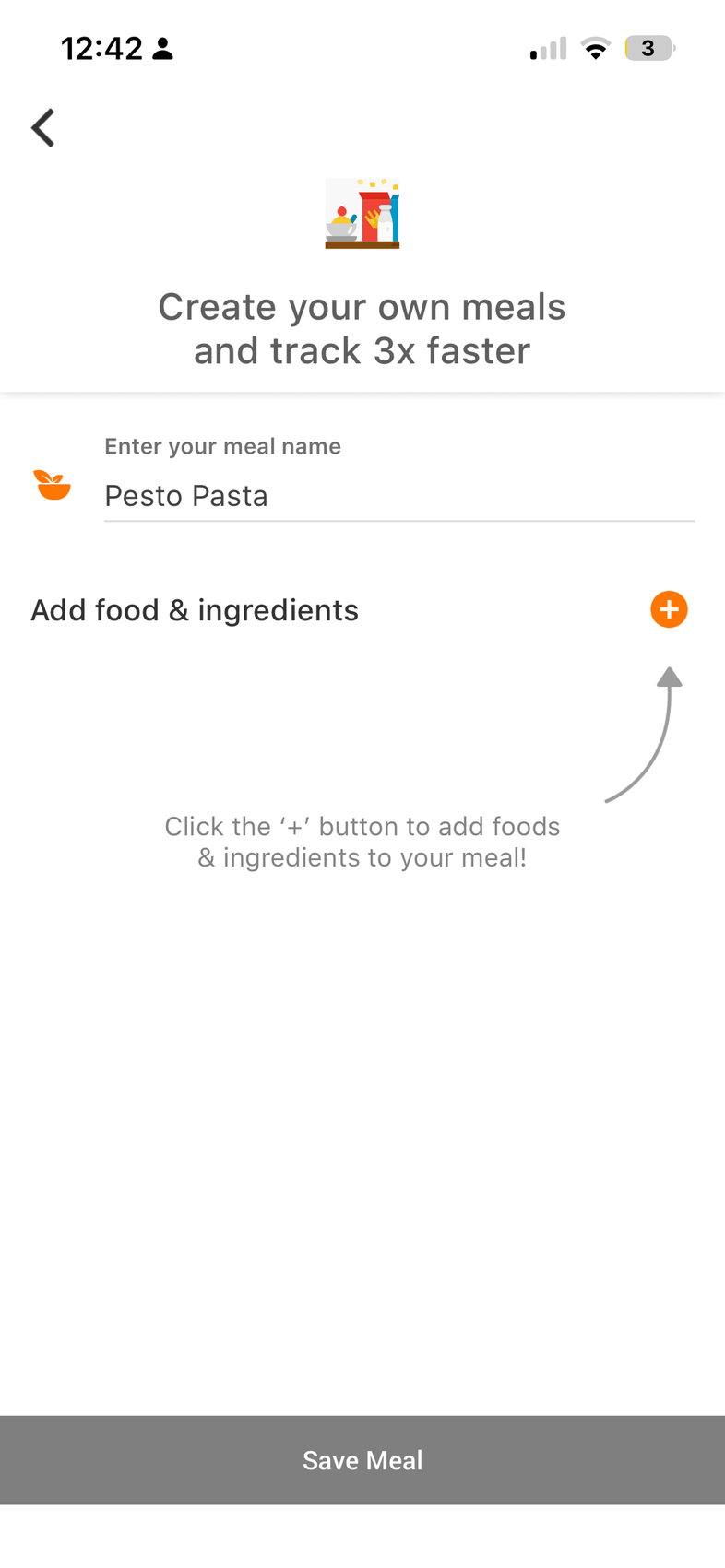
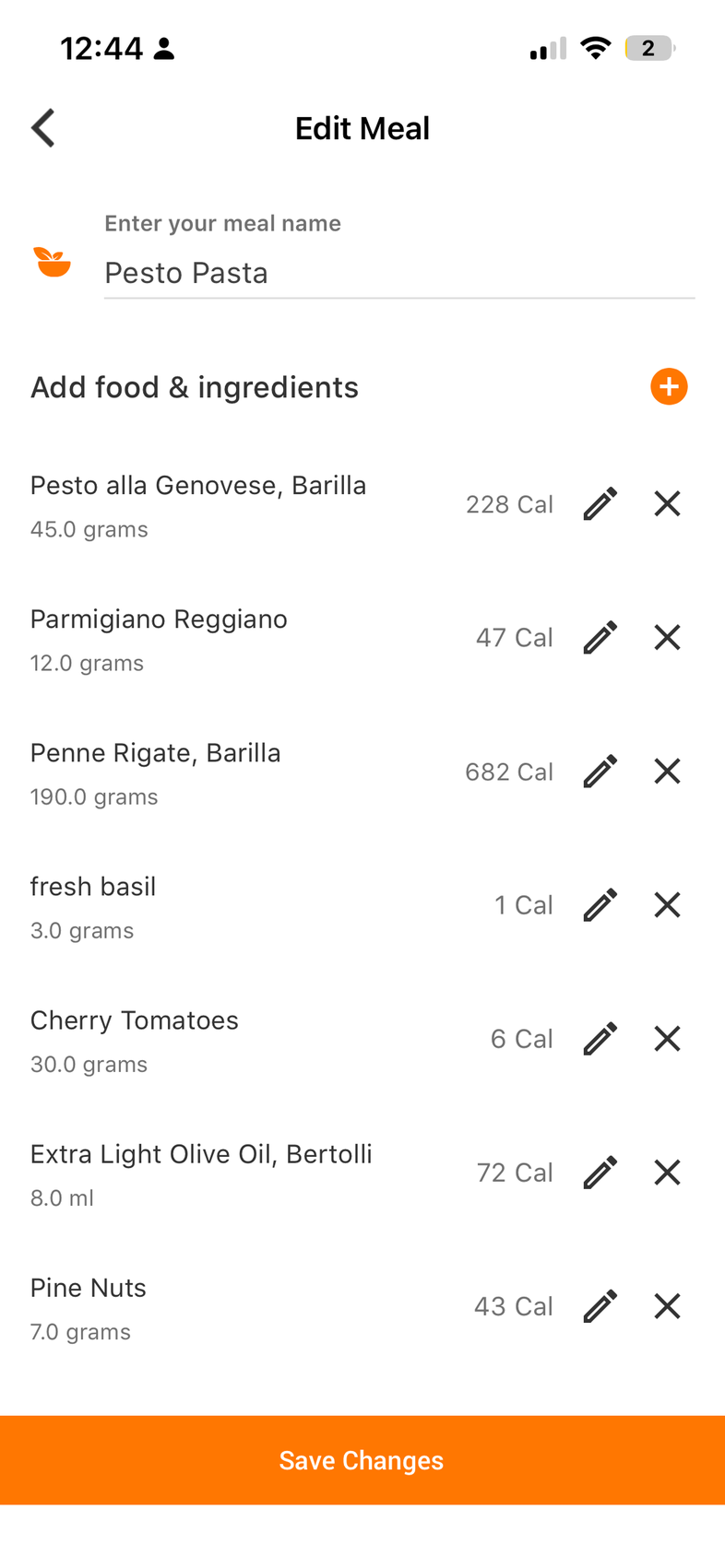
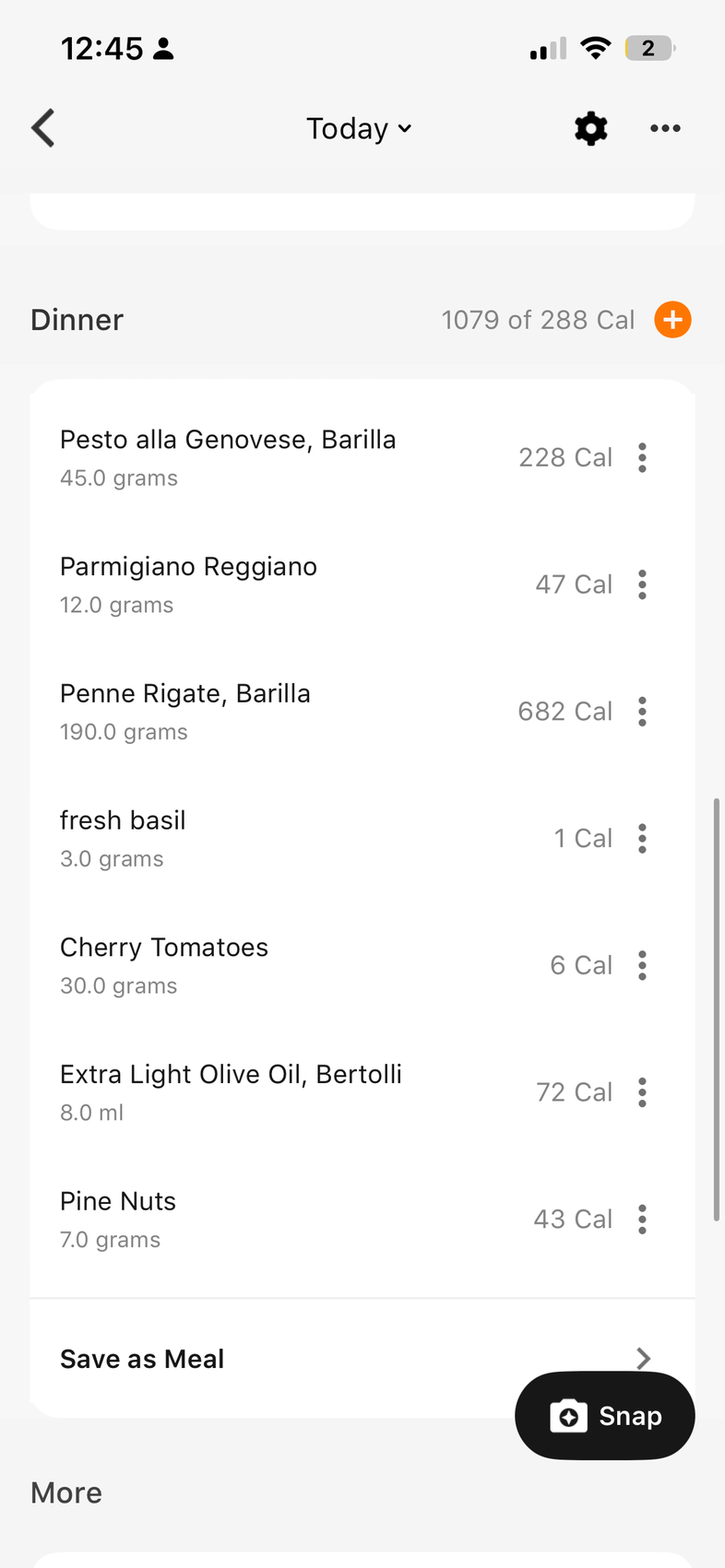
Four consistent frictions emerged.
Scattered entry points
Search, scan, the gallery and saved meals each sit in a different corner of the app, so there's no one place to start.
No visibility into what's being counted
A calorie total arrives without the ingredient list behind it, so there's no way to check the number against the plate.
No easy way to reuse past corrections
Fixing a meal once doesn't carry over. Next time it's screenshot, re-scan, re-enter every ingredient.
No flexibility in how you log
Whichever method you start with decides the result, and nothing lets you refine it with another.
Design decisions
Five decisions that closed the gap.
Give users different ways to log
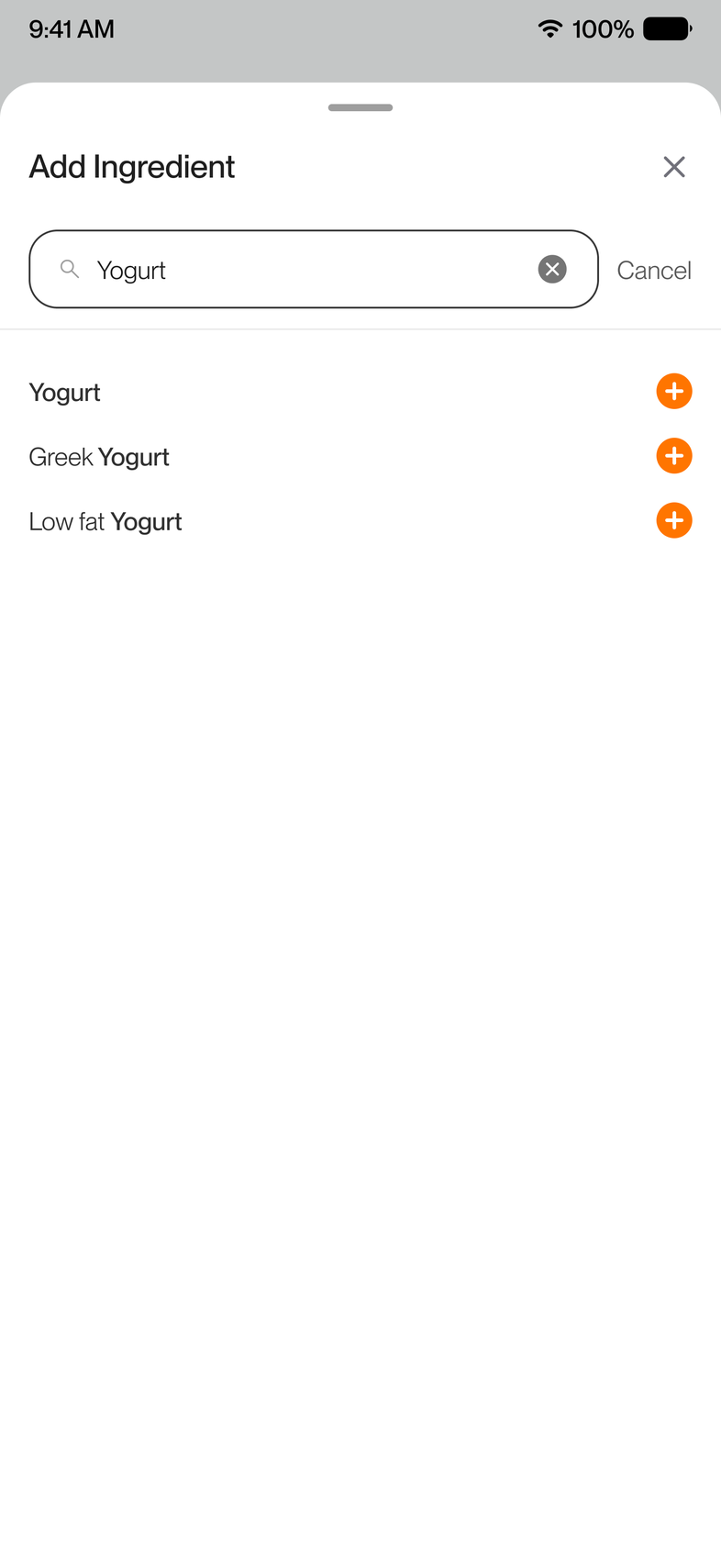
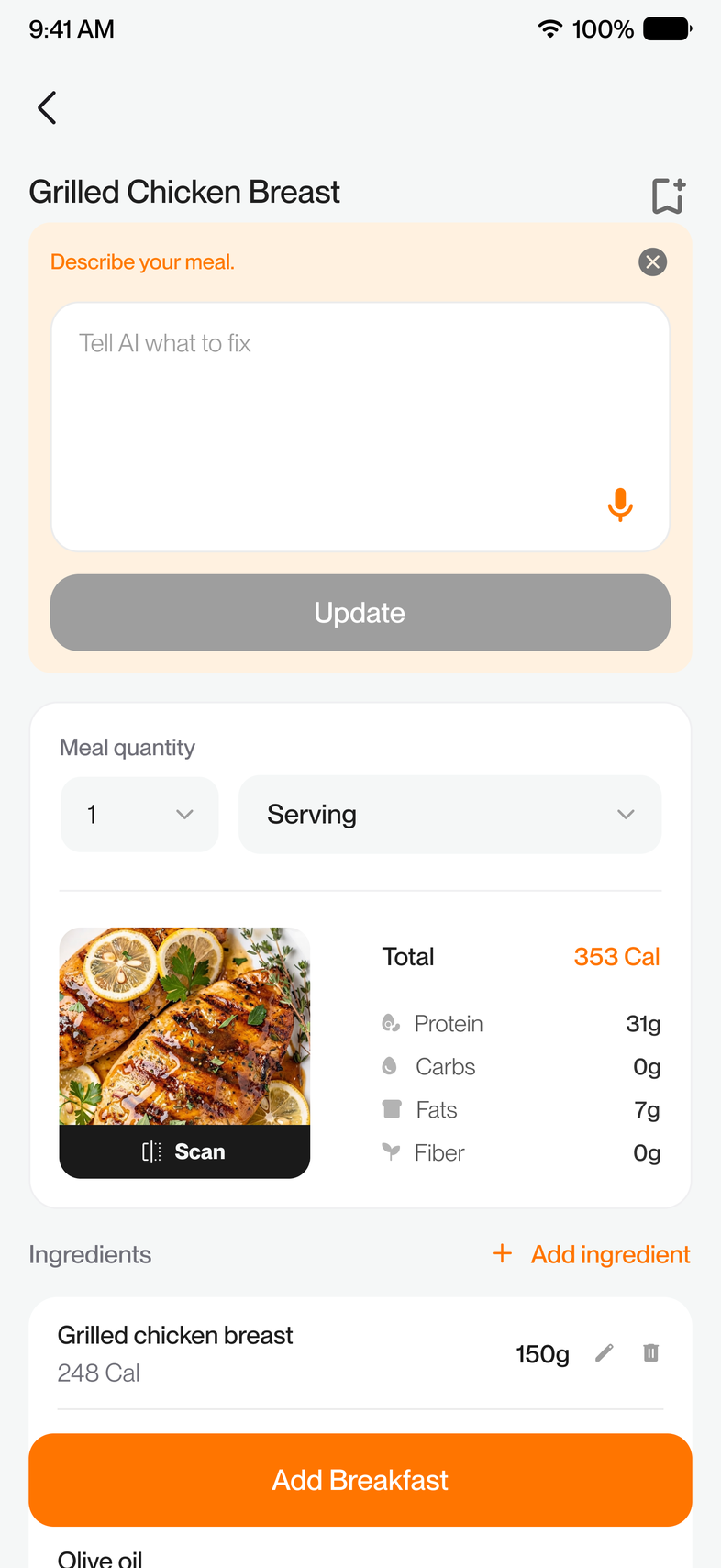
People don't always want to log food the same way. Instead of forcing one flow, I gave them three entry points: Scan or Search for something new or packaged, Collections for meals they eat regularly, and Description to quickly describe a meal using text or voice.
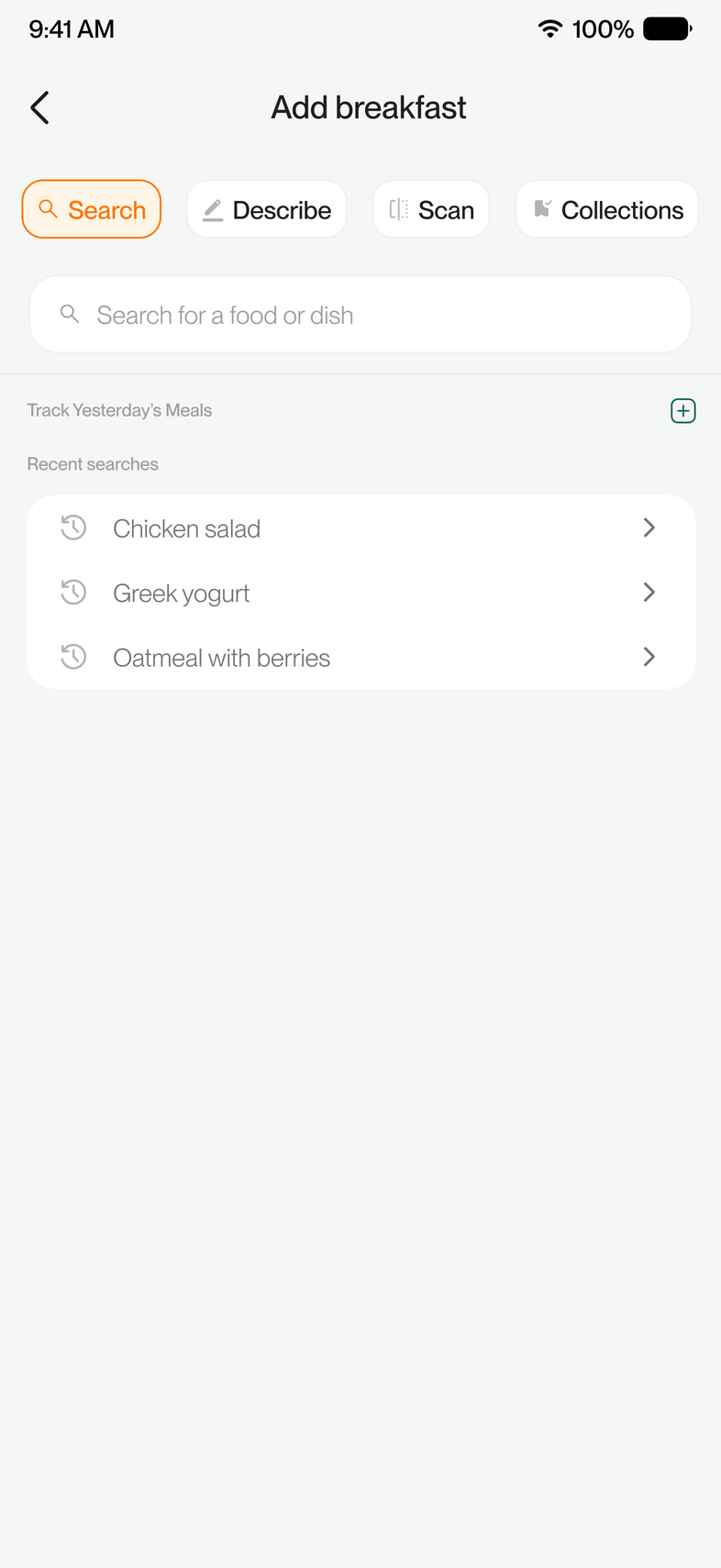
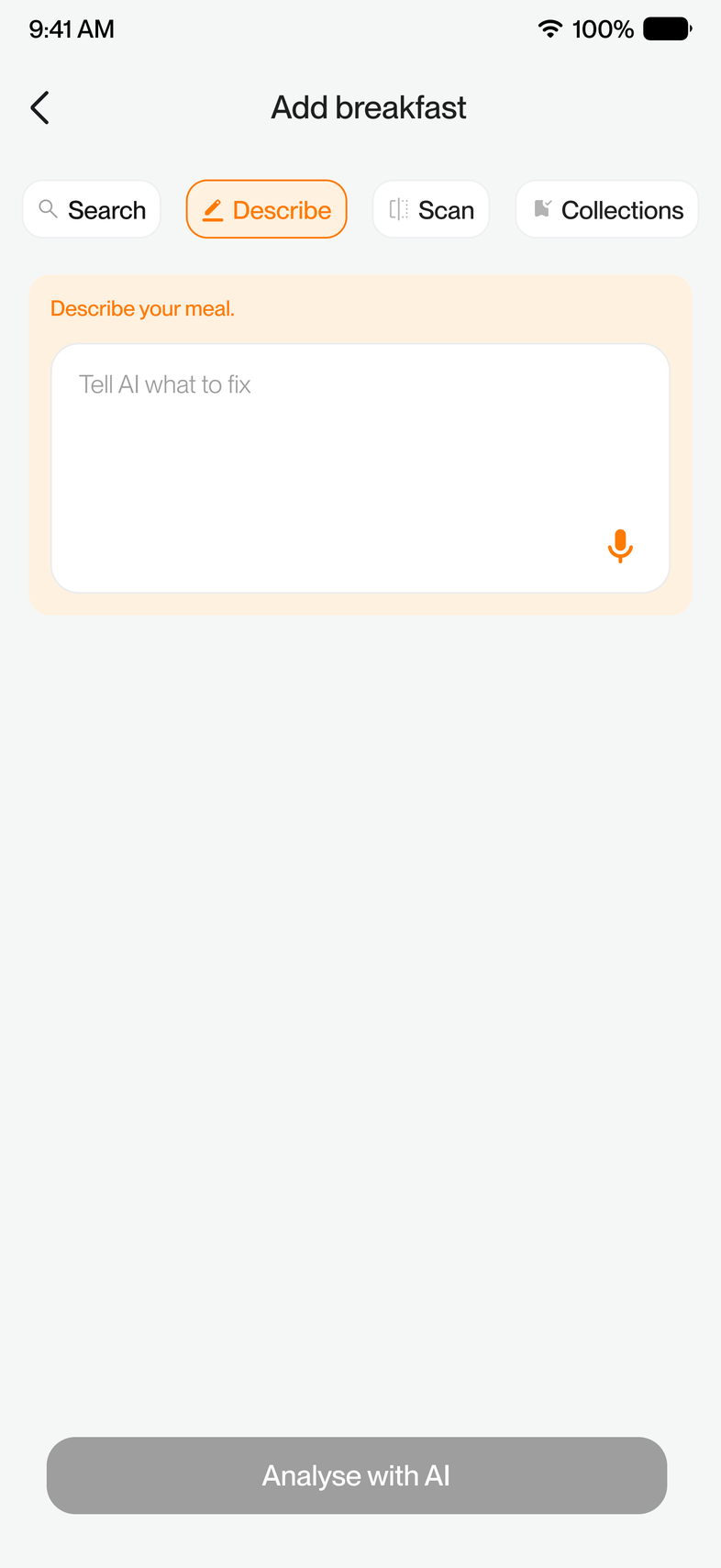
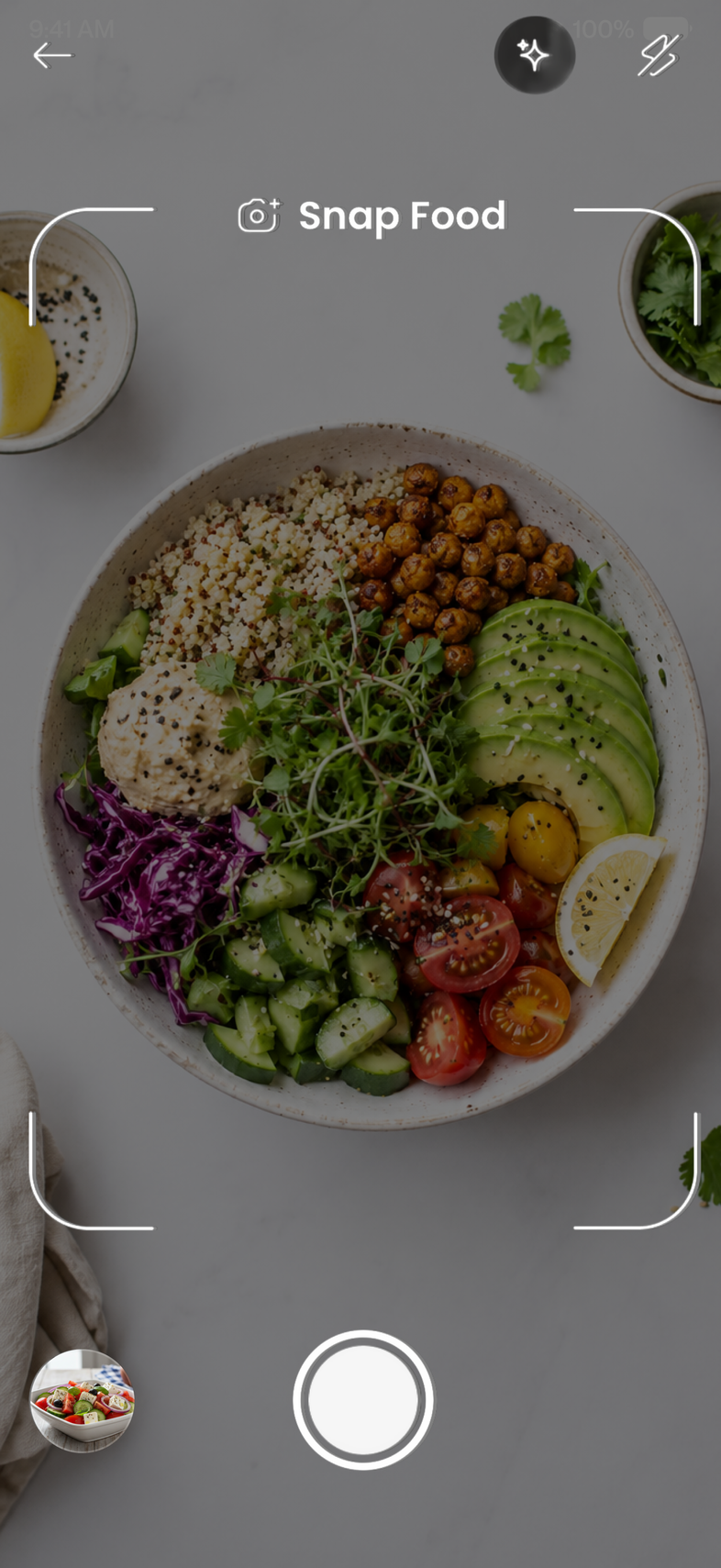
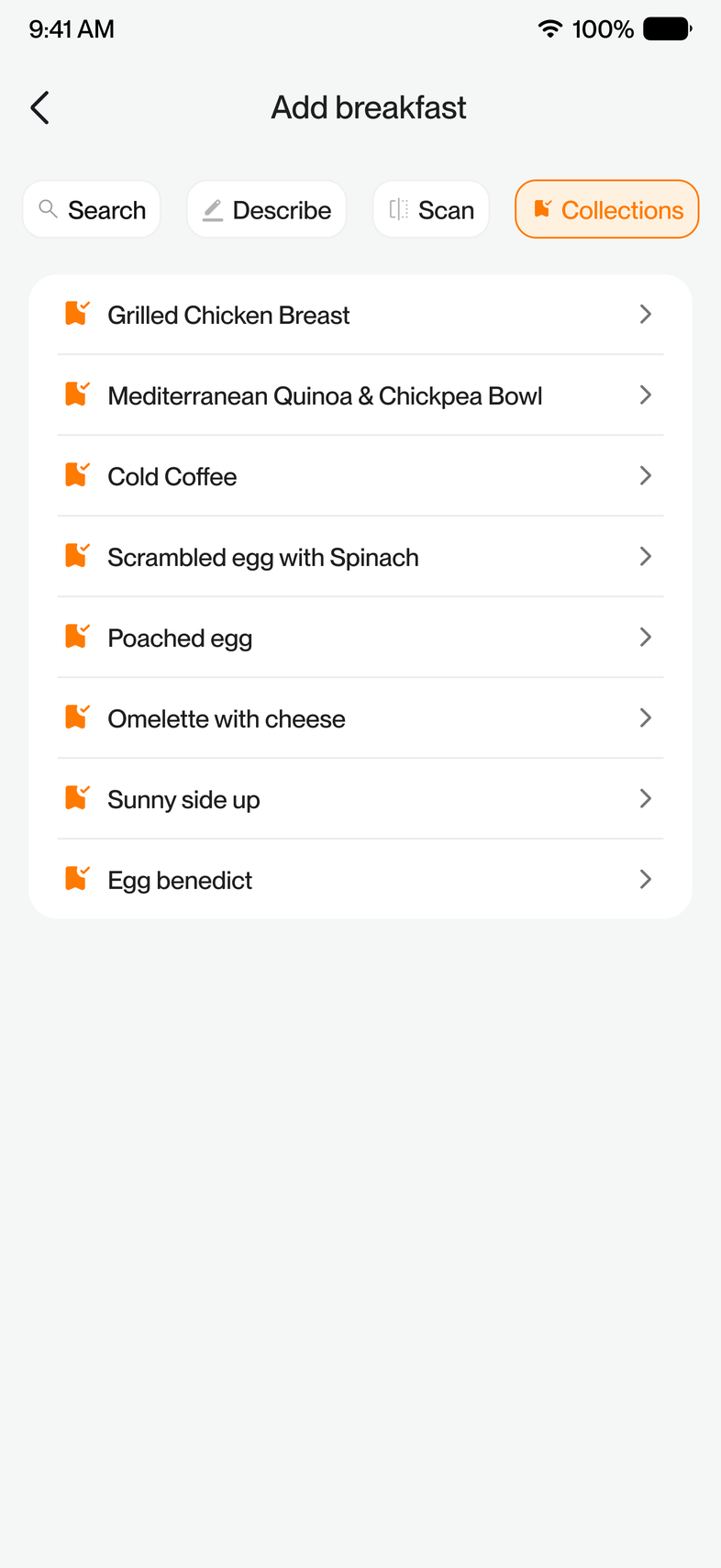
Friction solvedScattered entry points
Let users see what's actually being counted
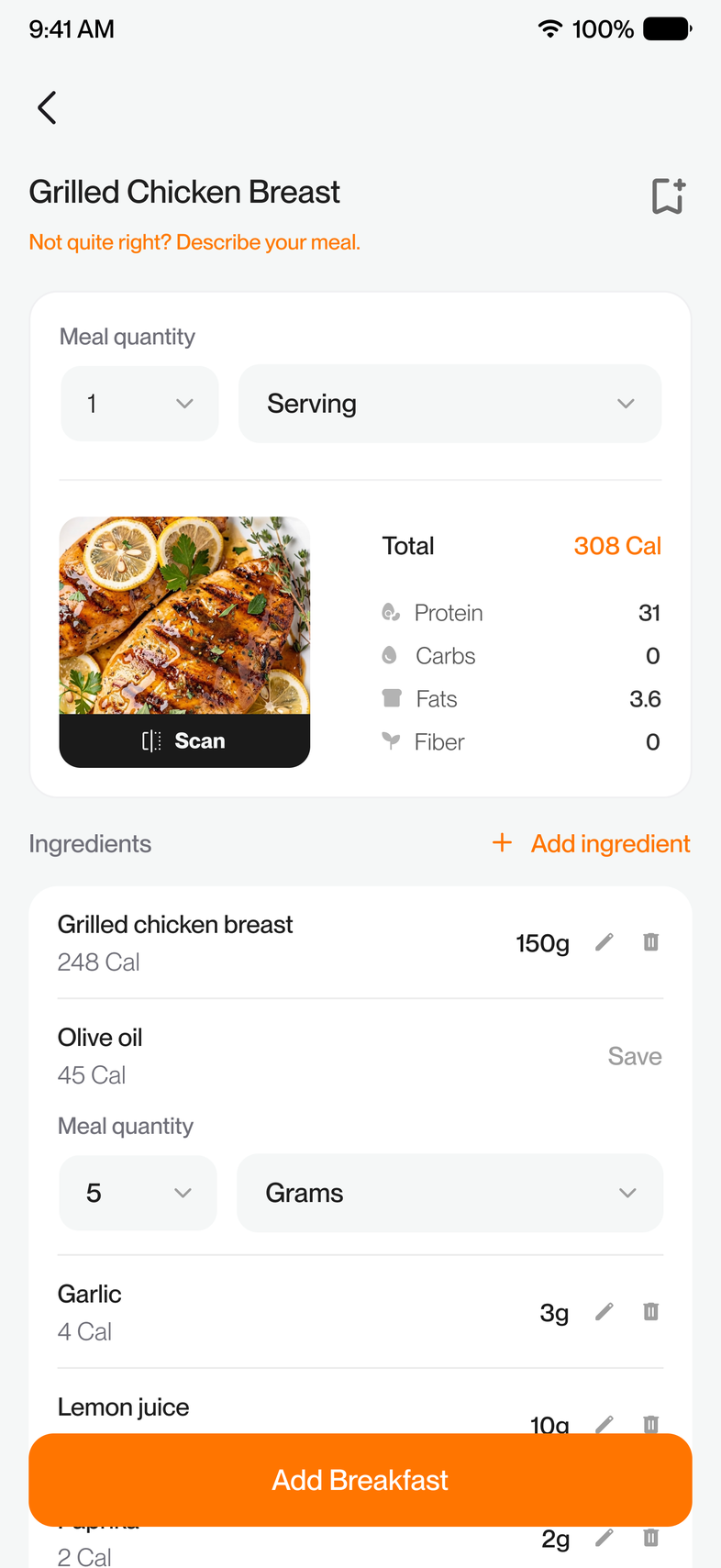
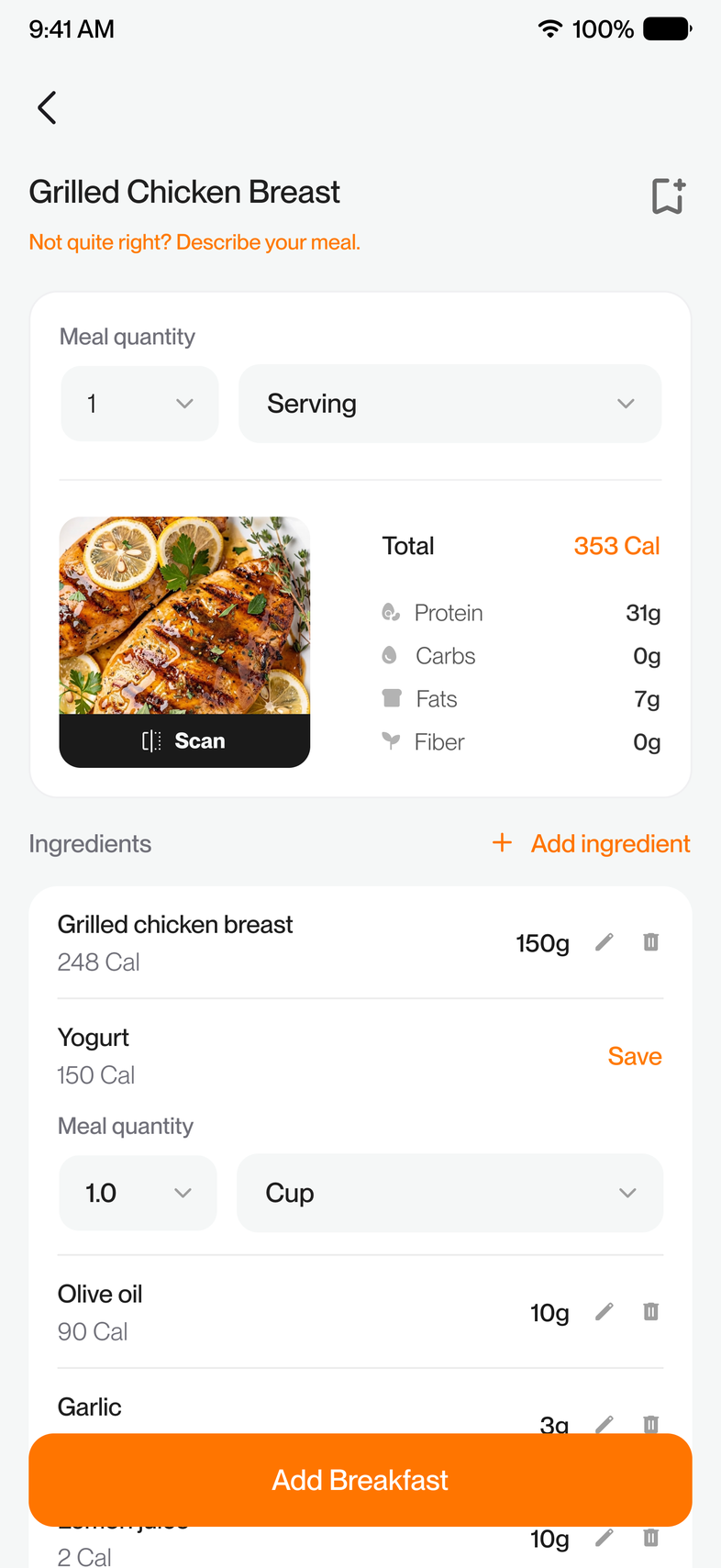
A calorie number is only useful if you know where it came from. The redesign surfaces the individual ingredients behind any suggested meal and lets users edit them to match what they actually ate, down to the gram.
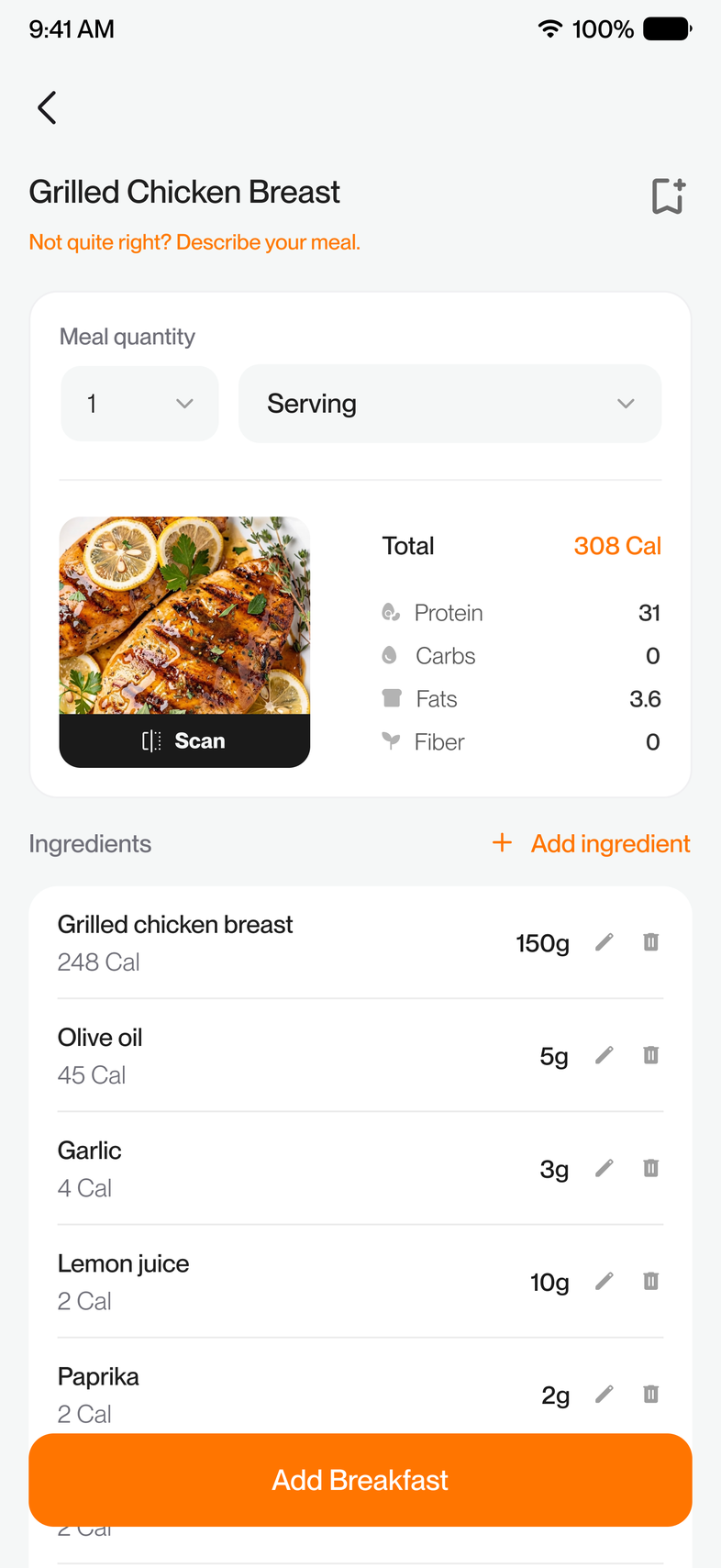
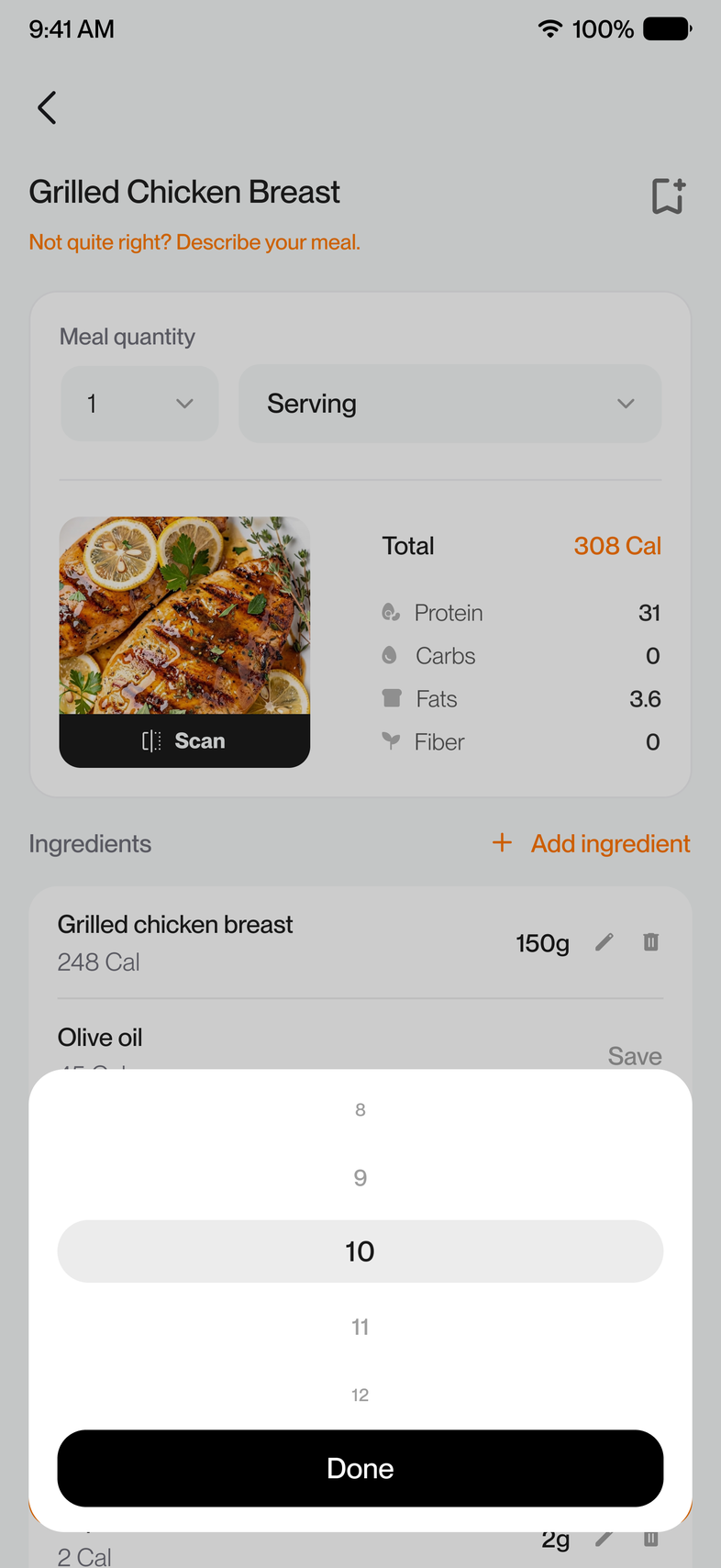
Friction solvedNo visibility into what's being counted
Refine, don't start over
The first logging method was never meant to lock users into a result. If the ingredients don't look right after a search, users can describe it using text or voice, scan the meal again for a new analysis, or edit ingredients and portions manually.
Whether you start with Search, Scan or Description, any other method can refine the result instead of forcing a restart. Each method is a starting point, not a dead end.
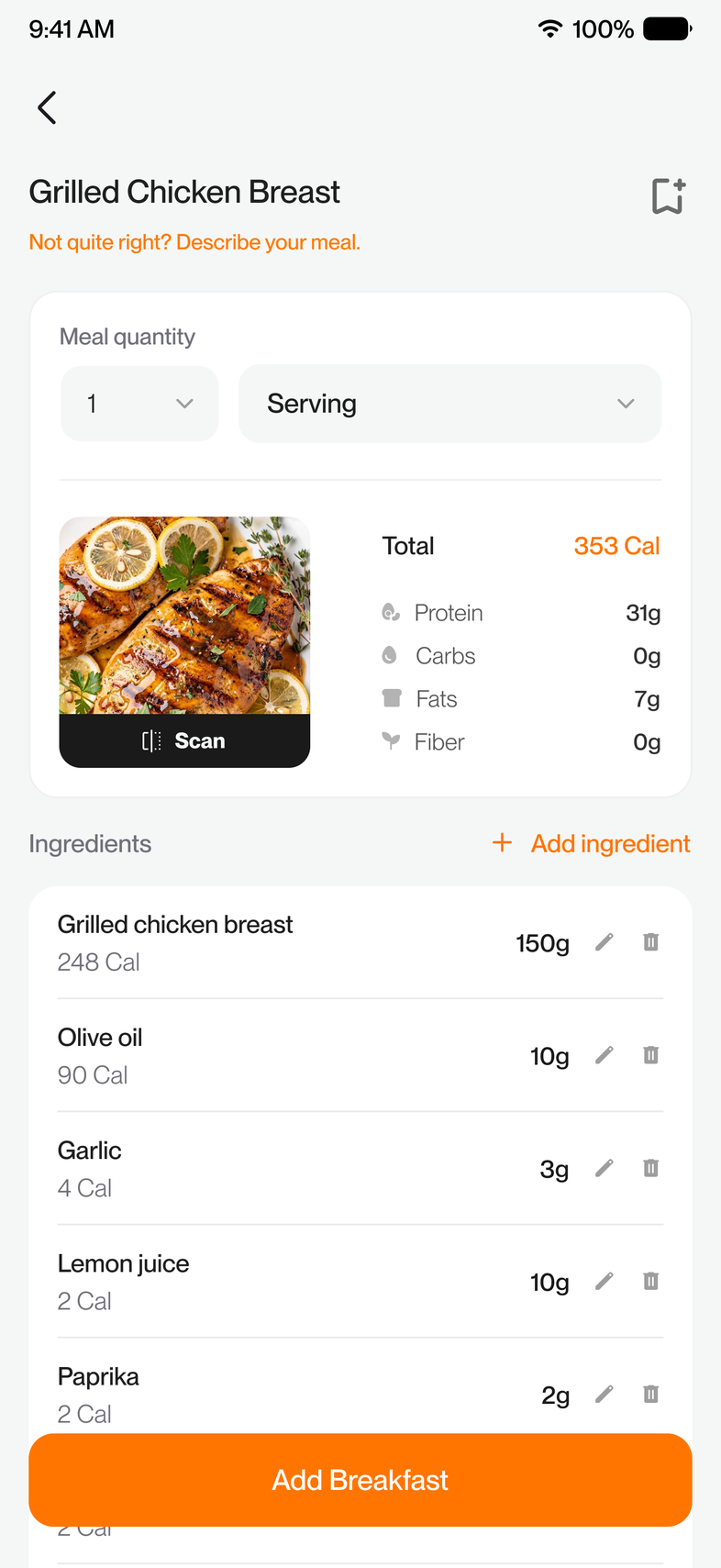
Friction solvedNo flexibility in how you log
Make the work reusable
If a meal's been fixed once, it shouldn't need fixing again. Corrected meals can now be saved to Collections and reused instantly the next time the same thing is eaten. That closes the loop the old Snap Gallery left open.
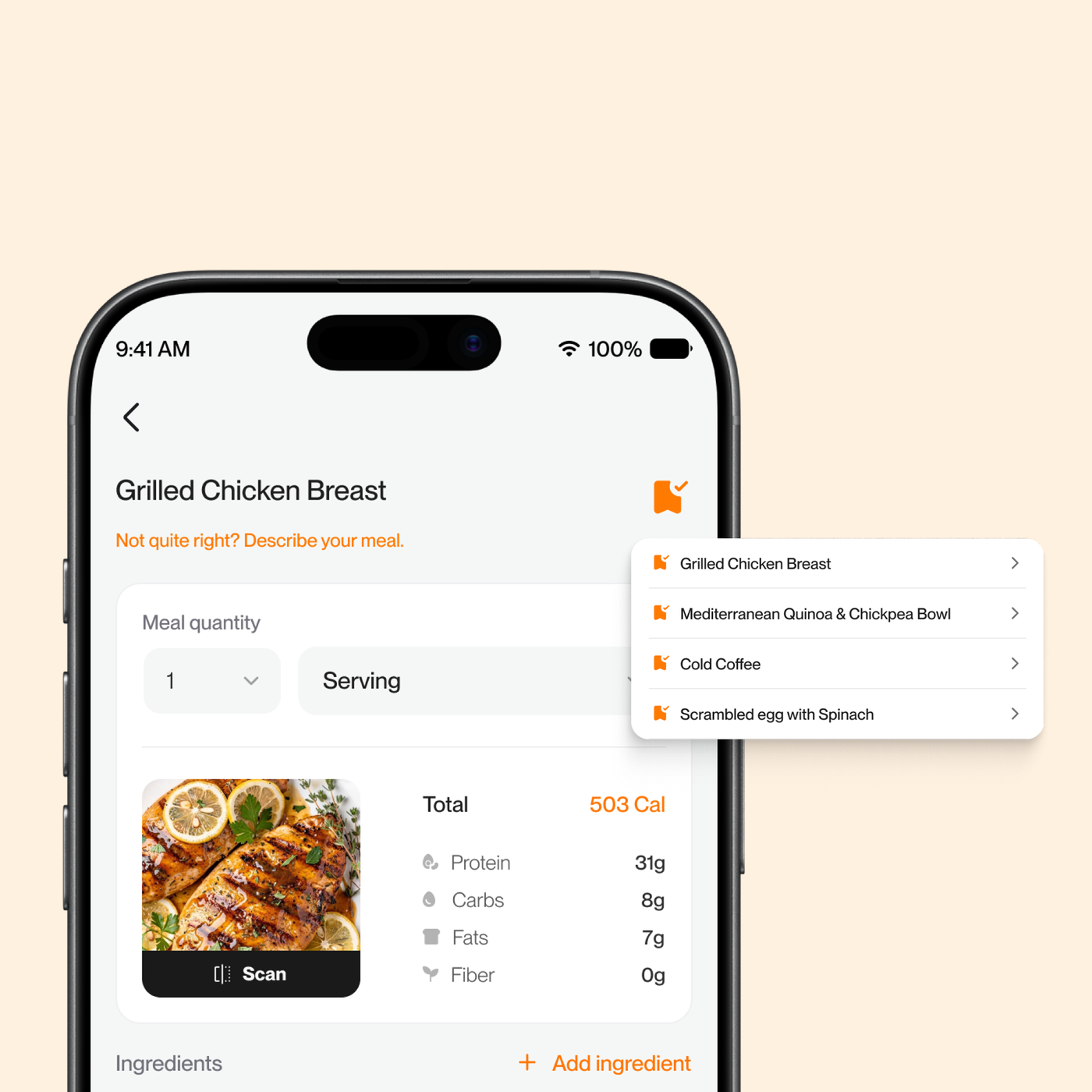
Friction solvedNo easy way to reuse past corrections
Keep it contextual
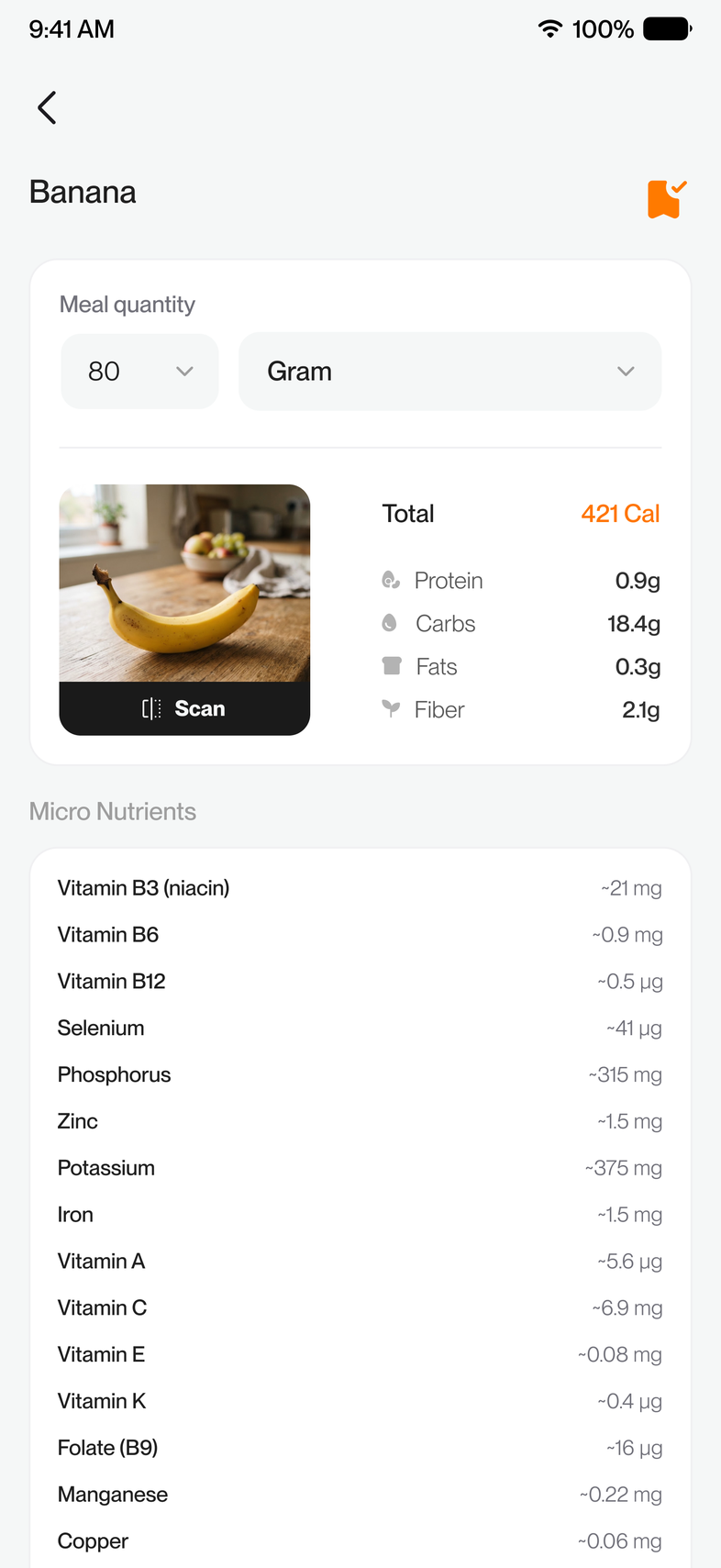
Not every food needs the same level of detail. A packaged food already has a nutrition label; a homemade pasta needs ingredient-level detail. The UI adapts its depth based on what's actually being logged, so accuracy doesn't come at the cost of speed for the easy cases.
Reflection
Less a numbers problem than a trust problem.
This project made me think less about calorie tracking as a numbers problem and more as a trust problem.
If users can see what's being counted, correct it when it's wrong, and reuse it the next time, logging starts to feel a lot more reliable.
For something people do every day, cutting that bit of uncertainty and that repetitive work makes a big difference.